Came here via text invite? Just tap your phone's app store below to install Tango Tango. You'll be on the air in less than 1 minute.
If you've logged in before, just download and login again — you don't need another invite.
Tango Tango needs these to work properly in the background and with your screen locked.
Most new users are transmitting within a minute of installing.
Tap your app store above.
Mic, location, notifications.
Use your phone number.
Quick overviews of the key functions of the app.
Bite-sized walkthroughs for channels, messages, maps, and settings.
Switch between channels, mute, favorite, and see who’s on the air.
Read guide →Replay traffic you missed and send direct voice or text messages.
Read guide →Find people across your agency and start a direct conversation.
Read guide →See your team’s locations and share yours when it matters.
Read guide →Tune audio, notifications, and how Tango Tango behaves on your device.
Read guide →Discover and join public channels outside your agency.
Read guide →Admin walkthroughs for channels, contacts, and user management in the web portal.
Admin guides →If your organization isn’t already using Tango Tango, start a free trial — you’ll be set up in days, not months.
Start a free trial →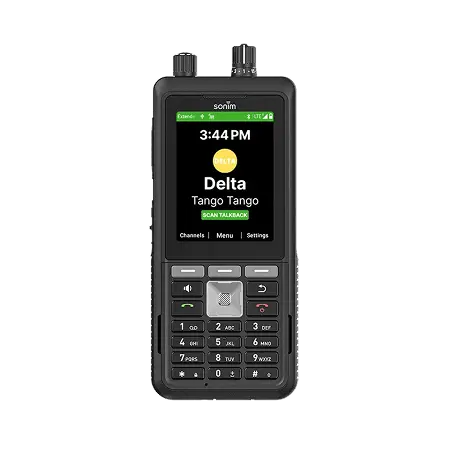
Tango Tango runs on nationwide LTE radios — handhelds and in-vehicle. Same network, same channels, same people.
Stay in the loop
Monthly-ish. Unsubscribe in one click.
