Short videos and step-by-step guides for everyday users. Channels, contacts, recordings, and more — covered.
Quickly find what you're looking for.
Short videos and step-by-step guides for everyday users. Each takes about two minutes.
The app contains 4 main tabs on on the default main screen:
For more detail on in-app features, see our full Guides page at tangotango.net/guides.
How to get start with Alerts
Open the Tango Tango app, tap More, and tap Alerts
Settings for Alerts for found in the top right corner of the Alerts screen.
How to use the Channels page of the Tango Tango mobile app
To Transmit
To Mute the Tango Tango app
Filter Channels
Customize your Channel settings
In Channel Settings, you'll see 4 toggle buttons:
Playback Recordings & Access Messages
To Access Recordings:
To Access Messages:
By default, recordings are available in-app for 24 hours and on the Admin Portal for 30 days. You can upgrade for longer availability if desired. Once recordings are erased, they are not recoverable.
Contact Page Guide
Tapping a contact brings up several options:
Tango Tango App - Map
View all your organization's Tango Tango users on the map
Tango Tango Settings Page
Key functions found on Tango Tango's settings page:
Profile
Call Settings
Location Services
PTT Button
Preferences
You can customize the tabs at the bottom of your screen in the Tango Tango app to provide fast access to the features that you use the most. To customize your tabs:
Joining an existing Channel in the App
This guide covers how to join an Open Channel in your organization that already exists. Open Channels are channels that allow anyone in an organization to join.
Creating a Channel through the app
First Response Tones
Layers let you see live weather, fire hydrant locations, and more, right in the Tango Tango app, alongside your location and the locations of your teammates.
Viewing layers
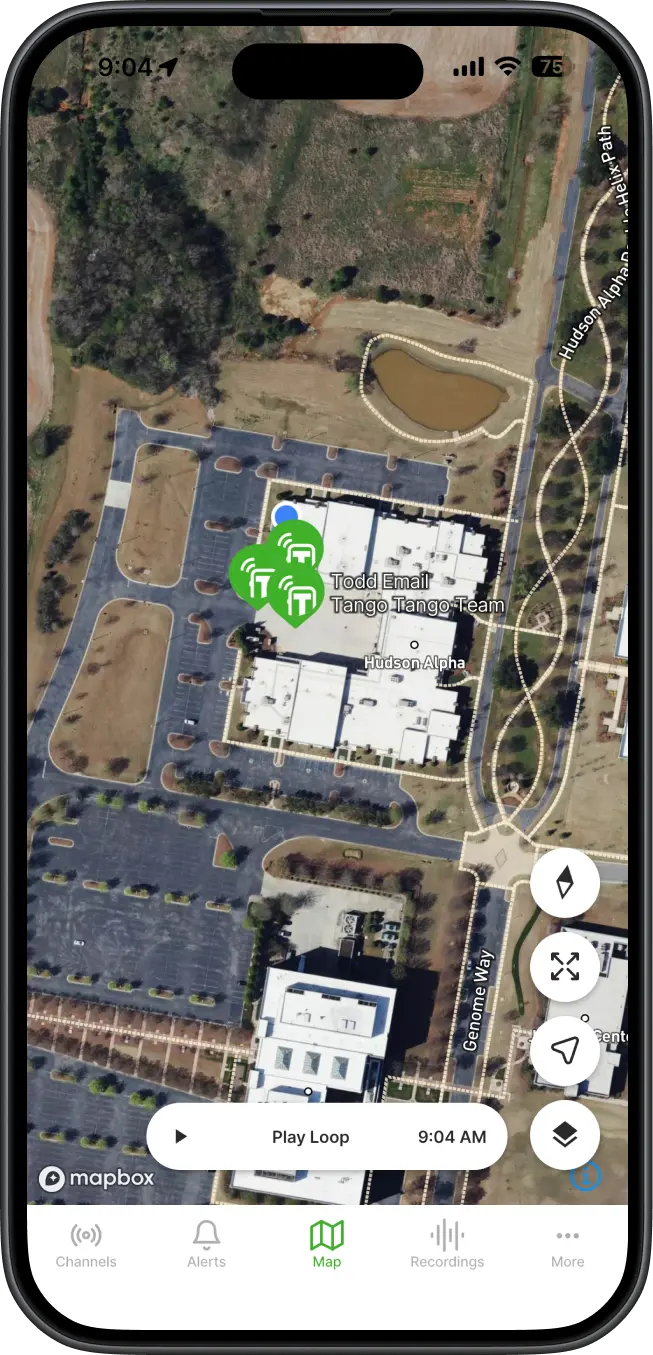
Customizing your map
Tap the square icon in the bottom right corner of the map to open the Map Layers menu.
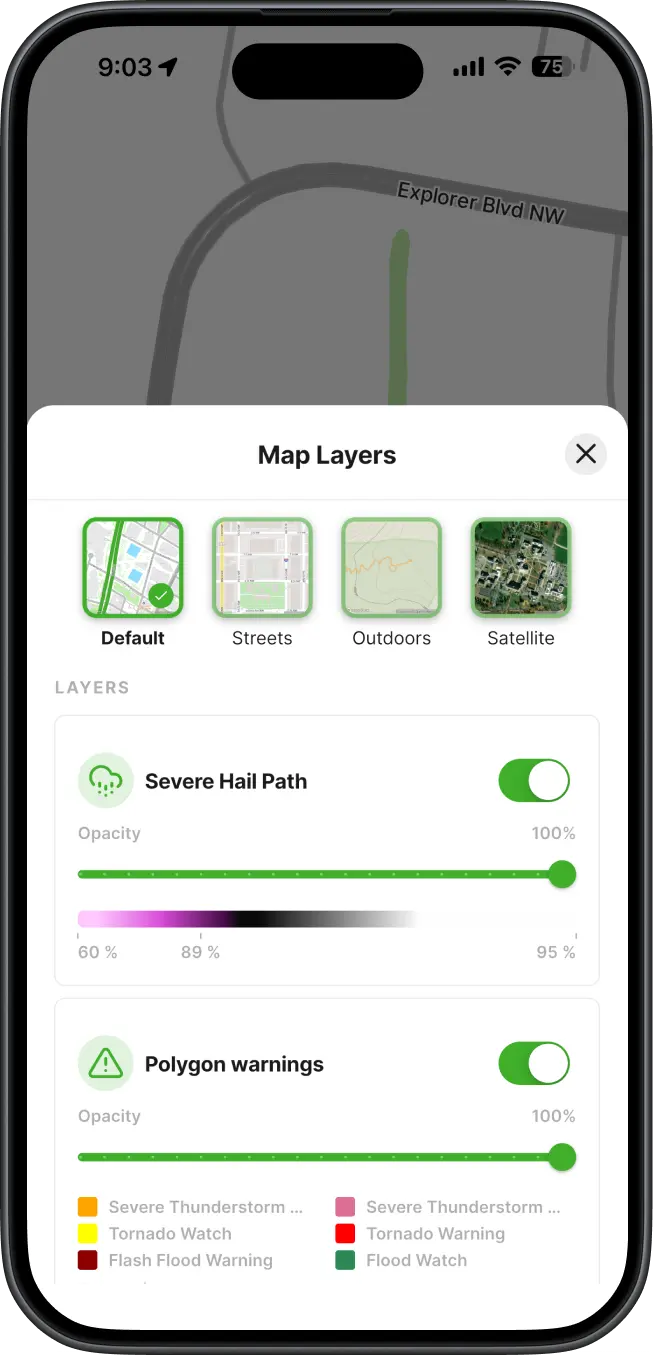
Base map. Choose the map style that fits your situation:
Layers. Below the base map options, you'll see the layers available to your organization, such as weather and fire hydrants. For each layer you can:
Don't see hydrants or other points of interest?
If your organization hasn't uploaded them yet, an Admin can add those locations at no cost. They can start with our Bulk Upload guide to learn how to upload geoJSON or shapefiles or CSVs to the Tango Tango map. Contact support@tangotango.net to get started.
Our support team answers the phone. Call us at 1-888-826-4607 or drop a note — we usually respond within a few hours.
While real-time voice comms are at the heart of Tango Tango, the surrounding platform gives you multiple tools to Respond Faster.
Turn any phone or browser into a radio. iOS, Android, Web.
Learn more →Ruggedized handheld & in-vehicle radios on nationwide LTE.
Learn more →Connect your existing two-way radio system to the app.
Learn more →Alerts and tone-outs for CAD, Raptor, and more.
Learn more →Mission-critical P25 radios for first responders - rugged, loud, powerful.
Learn more →Track people, field assets like fire hydrants, and see weather overlays right in the app.
Learn more →Talk to a real person. Get set up in one call. Start a 30-day trial today.