

Tango Tango 4.0: Alerts in the App
Since launching CAD Alerts in July 2025, the #1 request we've heard from you is simple: bring Alerts into the app.
With Tango Tango 4.0, releasing Tuesday, May 26th, we're doing exactly that. CAD Alerts now live inside the Tango Tango mobile app alongside your PTT traffic — no more bouncing between text messages and your web browser to see incident details.
Heads up for FRT users: First Response Tones is now part of Alerts. Everything you love about FRT is still here — it just lives inside the Alerts feature now.
Getting to Alerts
After you update to 4.0:
- Open the app and tap More in the bottom corner.
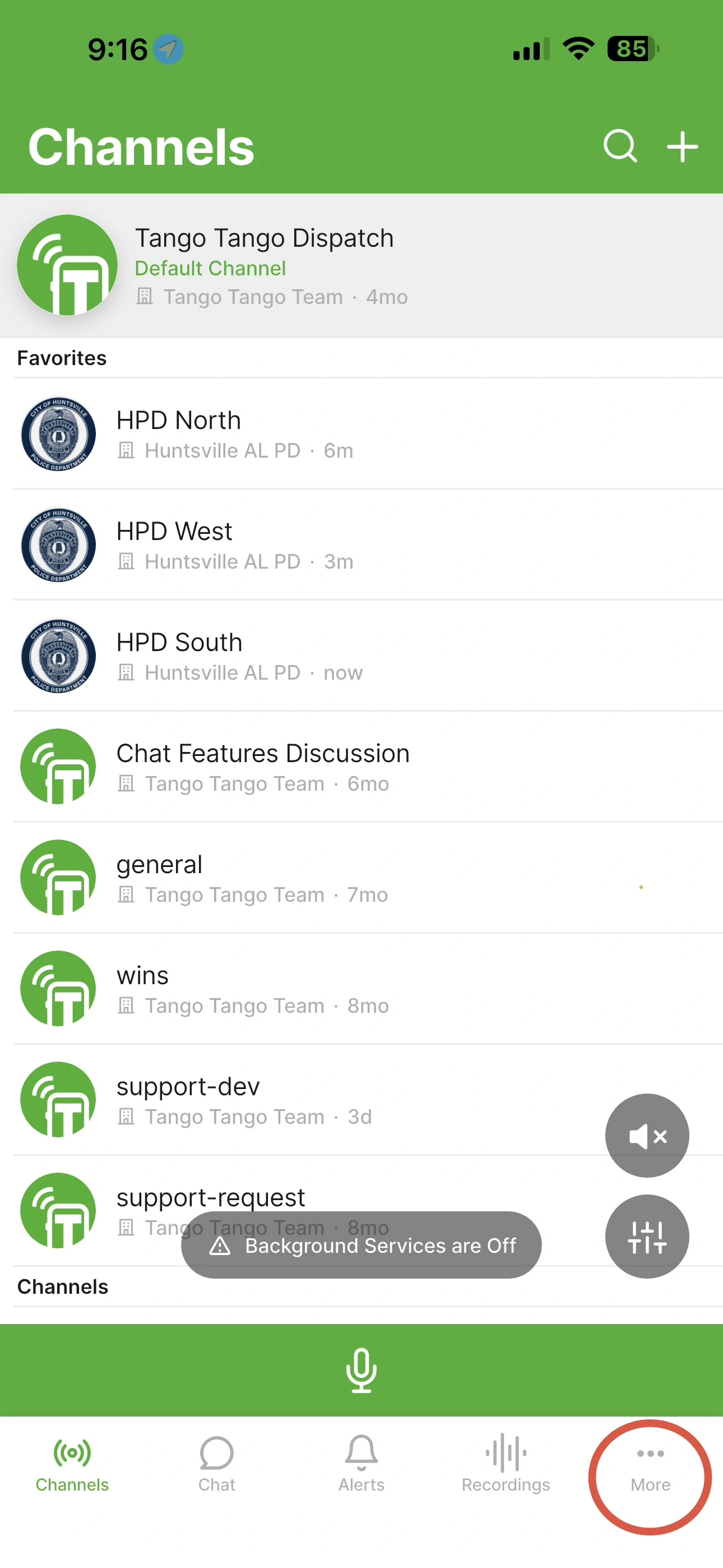
- Tap Alerts.
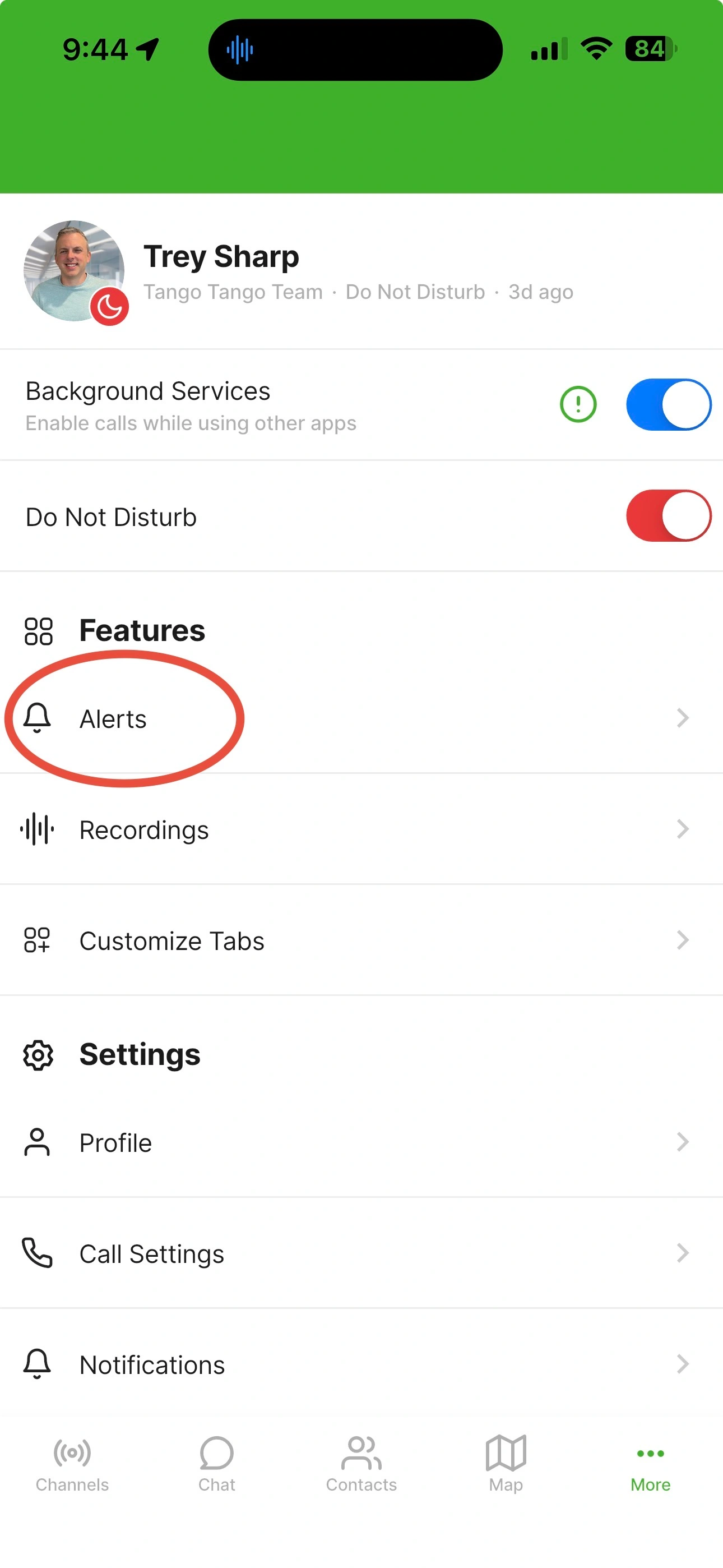
Tip: If you'll use Alerts often, add it to your main menu using the new Customize Menu feature in 4.0. Click here to learn more.
The Alerts Screen
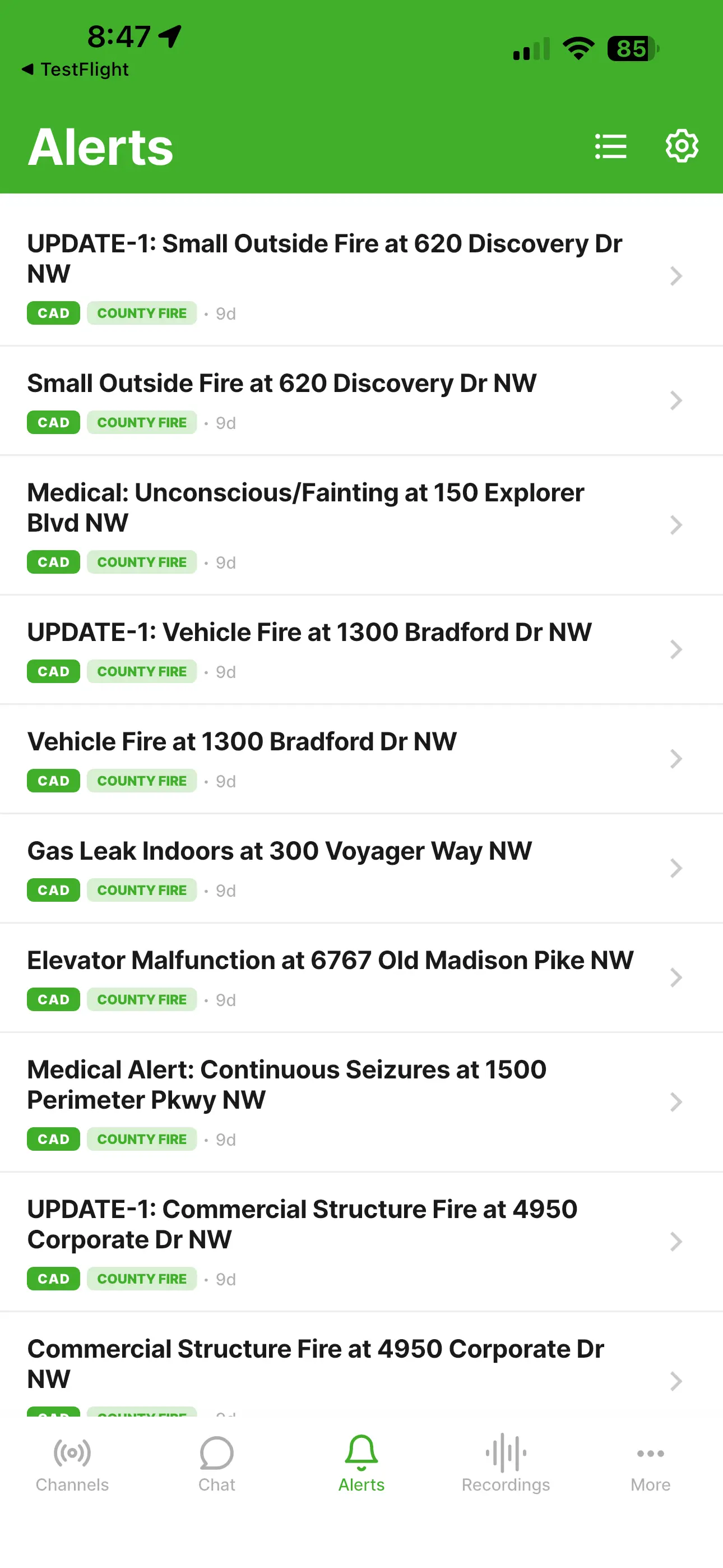
This is your home base — a running list of incoming Alerts and Tones. In the top right, you'll find two buttons:
- Feeds (list icon) — Controls which CAD Alerts and Tones you receive. This replaces the Tones setting from earlier versions.
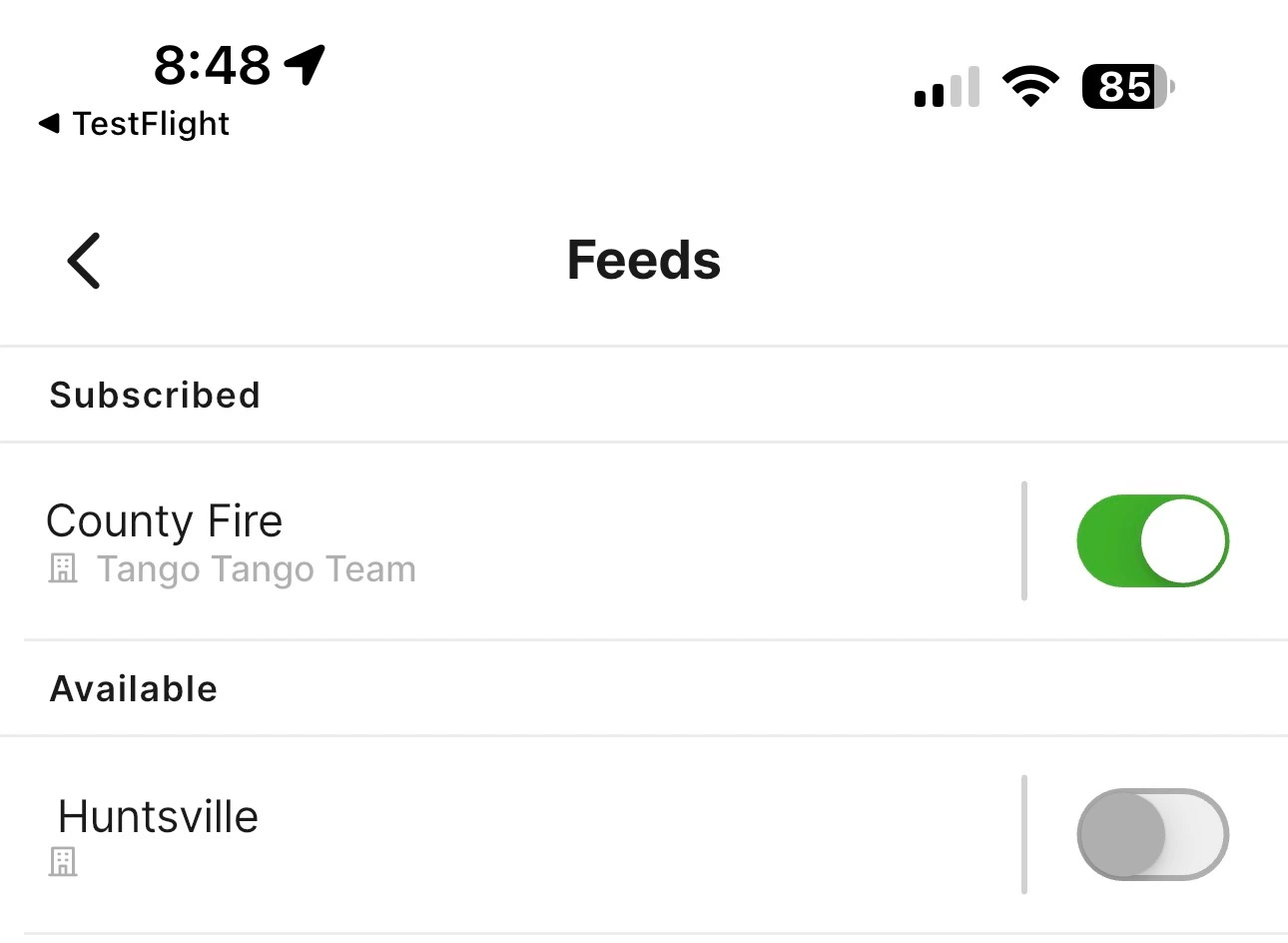
- Settings (gear icon) — Two options live here:
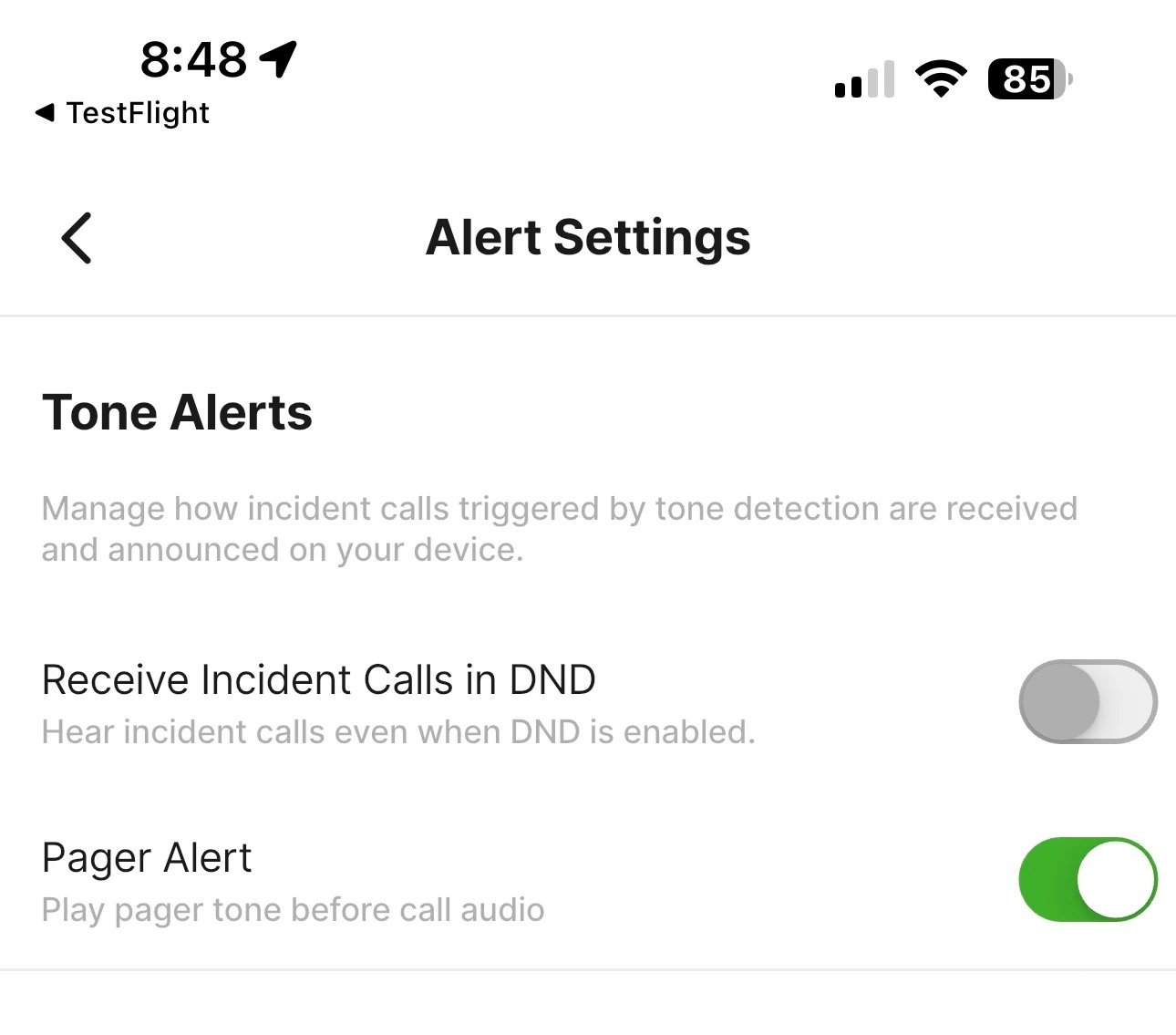
- Receive Incident Calls in DND — Turn this on if you want to silence normal PTT traffic but still get Alerts through.
- Pager Alert — For tones, plays pager tone audio before the call audio.
The Alert Details Screen
Tap any Alert in the Alerts list to open its details.
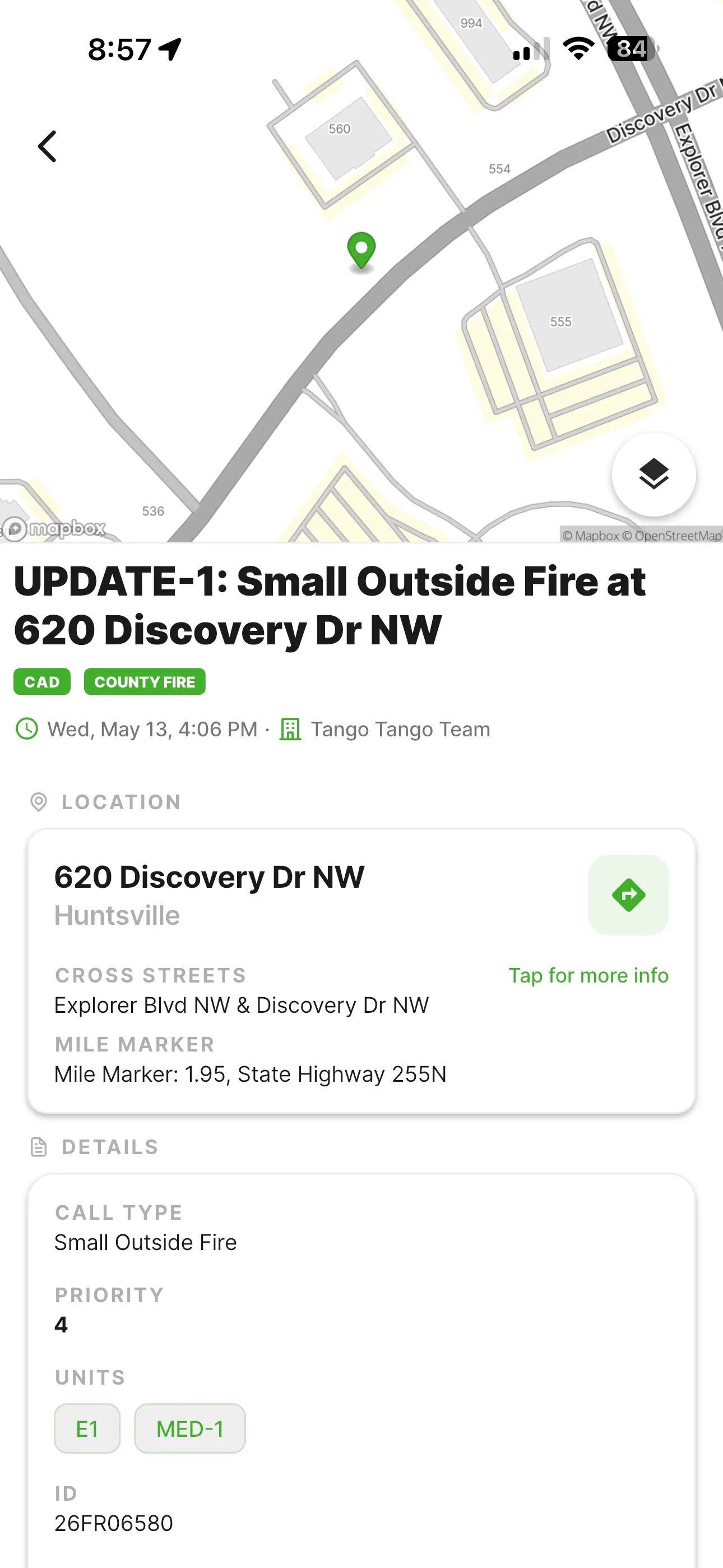
Everything you need to know about the incident in one place. Most of it speaks for itself, but a few things worth pointing out:
- Green street-sign icon — One tap for turn-by-turn directions to the incident.
.webp)
- "Tap for more info" — Reveals GPS coordinates, what3words, and plus code.
%20(1).webp)
- "View full event data" (at the bottom) — Shows the raw payload from your CAD system.
.webp)
How you'll receive CAD Alerts
Prior to version 4.0, CAD Alerts have been delivered by text message. As soon as you update to Version 4.0, your CAD Alerts will automatically migrate to in-app push alerts. You'll stop receiving texts for new CAD Incidents and, instead, you'll get a push notification from the Tango Tango app. Tapping the alert will take you to the Alert details page.
What you need to do
If your agency is already set up for CAD Alerts, in-app Alerts will start working the moment you update to 4.0 on Tuesday. Nothing to configure.
If your agency hasn't signed up for CAD Alerts yet — it's included with every Unlimited Plan at no extra charge. There's never been a better time to turn it on. If you're a current customer, just contact support@tangotango.net to get started or start a Free Trial if you're not on Tango Tango yet.
The future of Alerts
Our Alerting system is highly adaptable. We can concievably generate an alert for almost anything that sends an email notification. Today, CAD Alerts, Two-Tone Paging, and Raptor Alerts (a school safety platform) are supported as Alert types. But, we expect to have more alert types soon. If you have suggestions of an Alert type that you'd like to see us add, we are very open to your ideas. Let us know by Contacting Us.
Final important note for iPhone Tone & Alert users
Apple's PTT Framework changes in 4.0 require a one-time permission on first launch. If you haven't already, please read this update on what to do so you don't miss any traffic when 4.0 auto-installs.

